Learn to type fast : What is touch typing?
Introduction :
Why Should You Learn to Type Fast?
Typing fast isn't just about increasing your words per minute (WPM). It's about becoming more productive, more creative, and more efficient. Once you stop looking at your keyboard, your mind can focus entirely on your work.
This is one of my favorite topics because learning to type has genuinely changed the way I use a computer.
If you're reading this as a beginner who types with two fingers or constantly looks at the keyboard, this guide is for you.
Why You Should Learn Touch Typing
Instead of trying to type faster immediately, your first goal should be learning touch typing.
Touch typing means typing without looking at the keyboard while using all your fingers correctly.
Trust me—it feels amazing once you get used to it.
Benefits include:
- Better productivity
- More creativity
- Faster workflow
- Less finger movement
- Better consistency
- Easier coding, writing and studying
- You can even type in the dark without looking at the keyboard.
It's Also Surprisingly Impressive
Let's be honest.
When someone watches you typing at high speed, it's impressive.
I still remember hearing someone say,
"You're fast."
It motivated me to improve my typing even more.
My Typing Journey
Before lockdown, I spent a lot of time on Discord.
I promoted my Discord server by cold DM's & played Discord games for hours.
Because of that, I naturally became faster than the average person.
However, there was one huge problem.
My finger movement was completely random.
Some days I typed 90+ WPM.
Other days I struggled to reach even 40 WPM.
My speed was inconsistent because I wasn't using proper finger placement.
My First Introduction to Touch Typing
Back in second grade, our school had one computer class every week.
The teacher wanted everyone to learn computers, but most students simply opened Paint because it was more fun.
Since I already had a laptop at home, I once tried learning touch typing through TypingMaster and a few typing games.
But as a kid I quickly realized,
"I can type with any fingers."
So I ignored proper technique, got bored, and went back to playing games like Tekken 3.
The Day Everything Changed
Years later, I joined a Discord voice channel where people practiced speaking English.
Someone casually mentioned,
"I type around 70–80 WPM."
At that time my highest score was 97 WPM.
Sounds impressive?
Not really.
I achieved it using only two fingers by rushing on my laptop keyboard.
Most of the time I typed:
- 30 WPM
- 40 WPM
- 50 WPM
The 97 WPM was just random you can say it was luck.
That's when I realized I wanted consistency instead of random lucky scores.
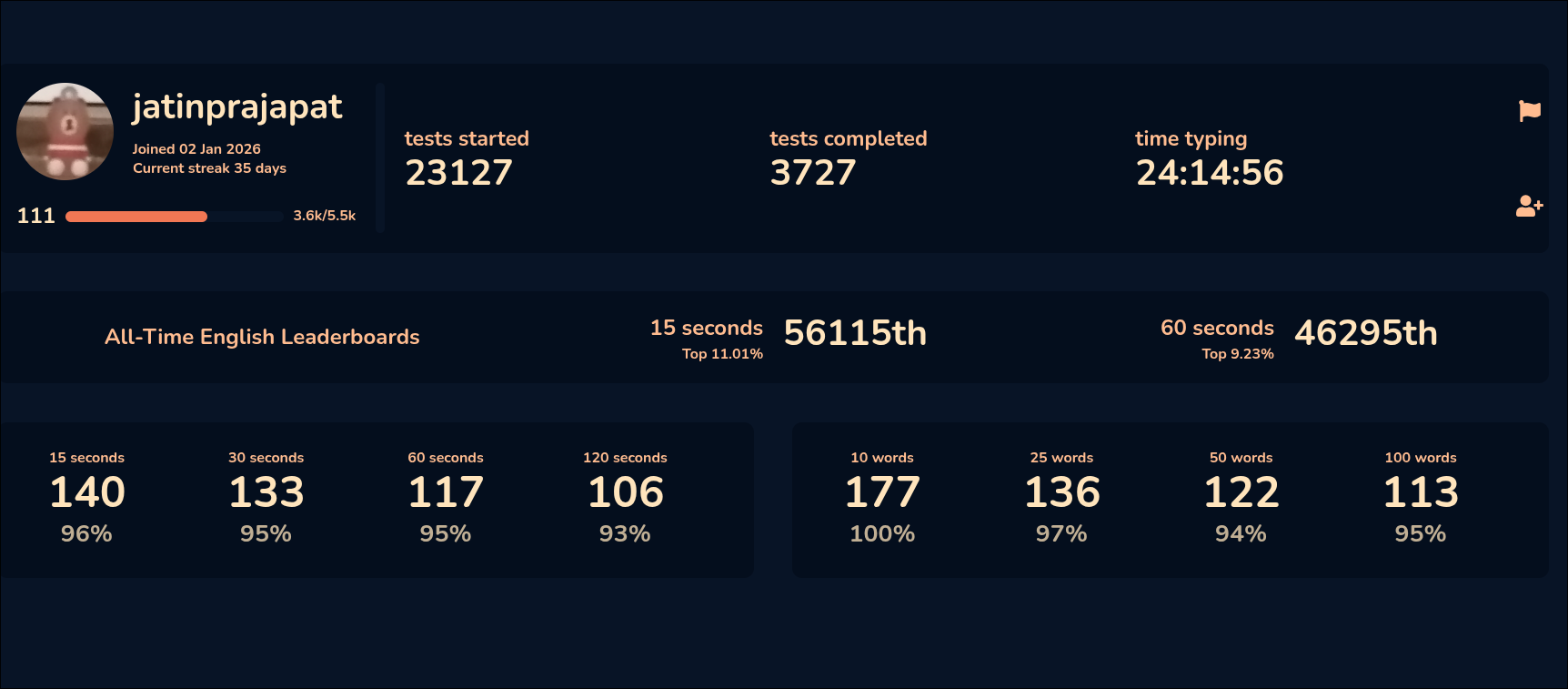
My Old Monkeytype Account
I created a Monkeytype account.
If I remember correctly:
- Level: around 104
- Total typing time: about 24 hours
Later I deleted that account, but those practice hours helped me. Although they were typed with two fingers
Learning Touch Typing Seriously
Right after that conversation, I decided to learn proper touch typing.
It wasn't easy.
Some keys felt impossible to remember.
Sometimes I wanted to quit.
But typing had already become an obsession.
So I kept practicing.
The website that helped me the most was Typing.com.
According to me, it's the best website for beginners because it's completely free and teaches everything step by step.
My First Keyboard
Eventually I bought my first keyboard:
Ant Esports MK1400
Initially my speed dropped to around 20 WPM because I had to relearn everything.
But I focused on one thing.
Accuracy.
Soon I reached:
- 30 WPM
- 40 WPM
Then 40 became easy.
Eventually, the old 97 WPM score that once felt impossible became effortless.
That's what proper practice does.
My Mechanical Keyboard
After around 8–9 months I bought my first mechanical keyboard.
EvoFox Katana S Mini
Personally, I wouldn't recommend it.
Many Reddit users reported they got defective cables.
Unfortunately, mine also stopped working after about 1–1.5 months.
Don't Compare Yourself With Others
One mistake many beginners make is comparing themselves with fast typists.
There are people who type:
- 180 WPM
- 200 WPM
- Even faster
When I joined the Monkeytype Discord server, I saw plenty of them.
But comparing yourself doesn't help.
You don't know:
- How many years they've practiced
- How many hours they've invested
- How much consistency they've maintained
You'll get there too.
Just give yourself time.
Sitting Position Matters
Your posture affects your typing.
Sit comfortably.
Keep your wrists relaxed.
Don't create unnecessary tension while typing.
Small improvements in posture make long typing sessions much easier.
Typing Without Looking
One of the coolest feelings is typing without looking at your keyboard.
Besides looking impressive, it's also useful.
For example:
- Working at night
- Coding
- Writing documents
Your eyes stay on the screen instead of searching for keys.
Accuracy Is More Important Than Speed
If you truly want to become fast, stop chasing WPM.
Chase accuracy.
Imagine expecting every word to be correct while constantly making mistakes.
That doesn't work.
Accuracy is directly proportional to speed.
Slow Down If Necessary
If your accuracy is only around 90–95%, slow down.
Even if you're typing at just 5 WPM, that's okay.
Type carefully.
Pay attention to every word.
Over time your fingers develop muscle memory.
Eventually your speed increases automatically.
That's exactly how I improved.
Practice Harder Word Lists
Monkeytype's default English mode mostly uses around 200 common words.
Try English 1k then 5k and so on.
Eventually you'll need harder practice.
Try:
- Hard words
- Numbers
- Symbols
- Numpad practice
This prepares you for everything and real-world typing instead of just typing common words.
You can practice in typeracer it has mix letter syms nums test.
Websites Worth Using
Some great websites for practice:
- Typing.com
- Monkeytype
- TypeRacer
- Keybr
- 10FastFingers
Each helps improve different aspects of typing.
Should You Buy a Mechanical Keyboard?
If your budget is around ₹1200 or more, I'd recommend investing in a mechanical keyboard.
Advantages:
- Better feedback
- Less typing effort
- More durable (depending on the brand)
- Better typing experience
- Easier for long typing sessions
Choose carefully and read reviews before buying.
Keyboard Shortcuts Make You Even Faster
Typing speed is only one part of computer efficiency.
Learning keyboard shortcuts makes you significantly faster.
Whether you're coding, editing, browsing, or writing, shortcuts save hundreds of clicks every day.
Mechanical Keyboard Switches
Mechanical keyboards mainly come with three switch types:
Linear Switches (Red)
Smooth keypress with no tactile bump.
Great for gaming and many fast typists.
Tactile Switches (Brown)
Provide a noticeable bump when pressed.
Good for typing because you can feel each key activation.
Clicky Switches (Blue)
Produce both a tactile bump and a loud click.
Some people love them.
Others find them too noisy.
What Is Polling Rate?
It means how often the keyboard sends information to the computer, why higher polling rates reduce input latency, and whether it actually matters for everyday typing.
Final Thoughts
Learning touch typing was one of the best skills I've ever invested time in.
It made me faster, more productive, more consistent, and much more comfortable using a computer.
Don't chase high WPM immediately.
Focus on proper technique.
Focus on accuracy.
Stay consistent.
Speed will come naturally.